One register, not five spreadsheets
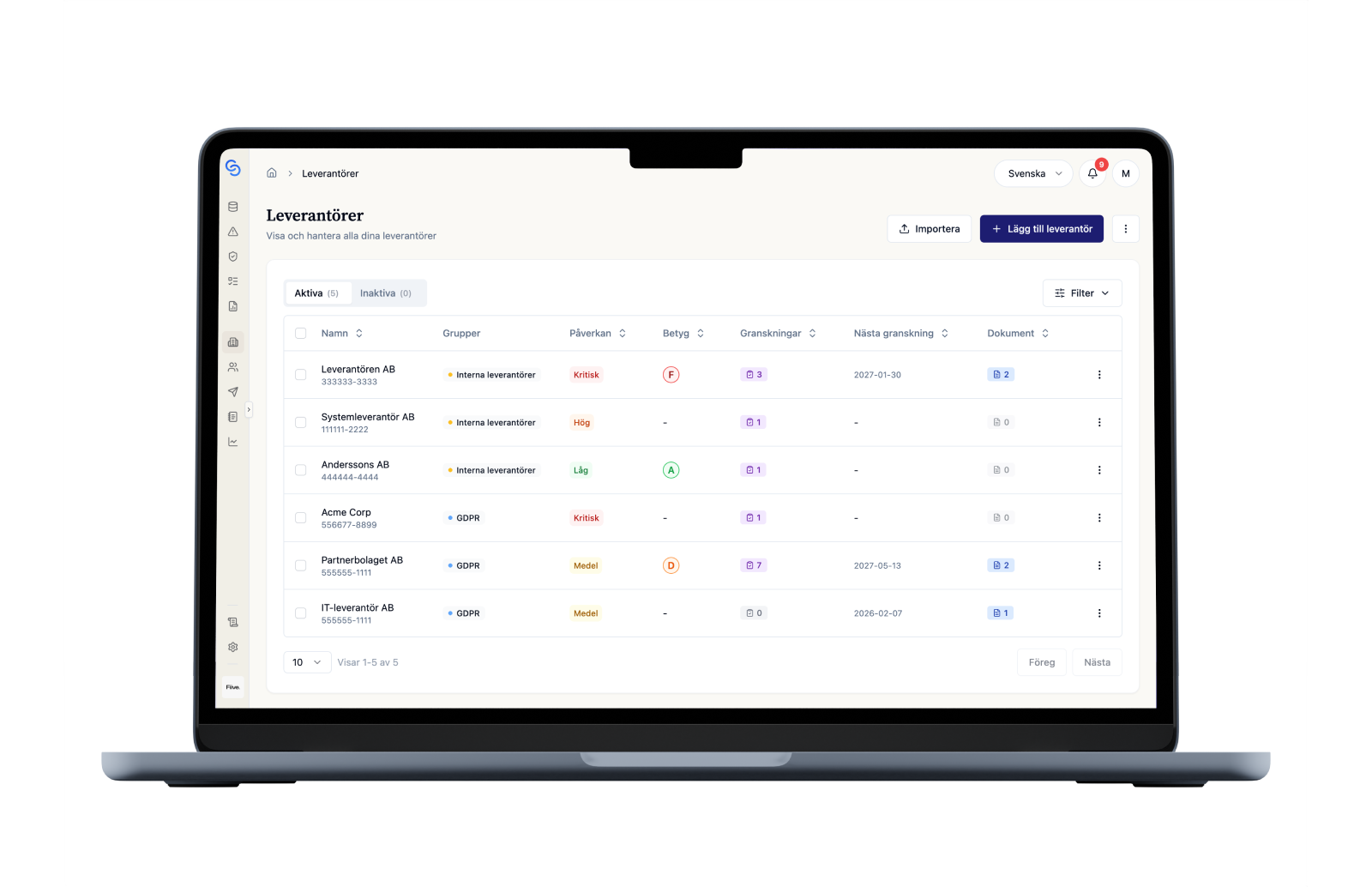
Contact details, contracts, certificates, internal owner and classification per supplier. Search, filter and export the list when someone asks.
For procurement
Bring together status, contracts, contacts and questionnaire answers. Procurement keeps the list current while quality or security evaluates the supplier in the same register.

Bring contacts, contracts and questionnaire answers into a shared register. Procurement, quality and security can work with the same evidence.
Contact details, contracts, certificates, internal owner and classification per supplier. Search, filter and export the list when someone asks.
The supplier gets a link, answers in the form and uploads their documents. You see who has answered and who has not.
Certificates sit on the supplier’s page with their validity dates. Those expiring within 30 days show up on the to-do list.
The same steps every time, no matter who in procurement handles the supplier.
Register the supplier with contact details, contracts and internal owner, or import several at once from a CSV file.
Pick the questionnaire that fits the supplier. A critical supplier gets more questions than the one delivering office supplies.
Quality or security sees the answers directly in the register and makes the evaluation. You do not have to forward anything.
When the contract is up for renewal, earlier answers, certificates and evaluations are still on the supplier’s page.
Keep contact details, contracts and evaluations in the same register. Procurement can maintain the supplier list while quality or security reviews the answers. When you need to select a supplier or renew a contract, the information is on the supplier’s page.
Yes. Export your spreadsheet list to CSV and import the suppliers into ChainSec. You can then add contact details, contracts and documents to each supplier in the register.
You send a questionnaire to the supplier, who receives a link to a form where they can answer and upload documents. The answers are collected on the supplier’s page, and you can see who has responded and which responses are still outstanding.
Yes. Procurement can maintain the list, contacts and contracts while quality or security reviews questionnaire answers and carries out the evaluation. You work in the same register without forwarding answers and attachments between colleagues.
The supplier’s page contains approval status, earlier evaluations, questionnaire answers, certificates and recorded deviations. You can review the history before renewing a contract and export the approved supplier list when you need to share the current status.
We show the register, evaluations and follow-up with your work as the starting point.